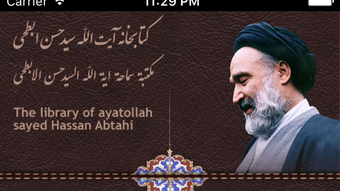

Download Abtahi Book – Islamic teachings, Ayatollah Sayed Hassan Abtahi, multilingual reference, educational software, Persian, Arabic, English
Overview
Abtahi Book is a specialized educational reference software developed by the Abtahi Foundation, designed to serve as a digital repository for the scholarly works of Ayatollah Sayed Hassan Abtahi. The application is available in three languages—Persian, Arabic, and English—making it accessible to a broad international audience interested in Islamic teachings. Its primary purpose is to facilitate the study, research, and dissemination of authentic religious content authored by a respected figure in Islamic scholarship. The app targets students, researchers, educators, and individuals seeking comprehensive access to profound religious texts without linguistic or geographical barriers.
By compiling complete texts in multiple languages, Abtahi Book supports cross-cultural academic engagement and promotes deeper understanding of Islamic thought. The software is particularly valuable in educational institutions, personal study environments, and digital libraries where multilingual access to religious knowledge is essential. It represents a significant contribution to the digital preservation and global accessibility of Islamic intellectual heritage. The developer did not provide additional technical details about the app’s development philosophy or historical context, but its focus on linguistic inclusivity and scholarly accuracy underscores its importance within the education category of the mobile app ecosystem.
Key Features & Functionality
- Multi-language Support: Full access to content in Persian, Arabic, and English ensures that users from diverse linguistic backgrounds can engage with the material in their preferred language.
- Advanced Search Functionality: Users can quickly locate specific passages, topics, or keywords across all books, streamlining research and study workflows.
- Note-Taking and Bookmarking: The ability to save personal notes and mark important sections enhances retention and supports long-term learning.
- Font Customization: Adjustable text size and font styles improve readability and accessibility for users with visual needs or personal preferences.
- Content Update and Registration: The software allows users to register and update new books, enabling the platform to evolve with new scholarly contributions.
For example, a researcher in Cairo can use the Arabic interface to search for a specific theological concept, bookmark a relevant passage, and add a personal note for future reference. Similarly, a student in Tehran can switch to Persian to study a detailed commentary, adjust the font for easier reading, and share key excerpts. The inclusion of dynamic content management suggests the app is designed not only for passive reading but also for active academic participation. These features collectively create a structured, efficient, and user-centered environment for deep engagement with religious texts.
Interface, UX & Performance
The user interface of Abtahi Book is designed with clarity and functionality in mind, offering a clean layout that prioritizes text readability and navigation. The visual style reflects a scholarly aesthetic, minimizing distractions while emphasizing content accessibility. Navigation appears to be intuitive, allowing users to browse books, access search tools, and manage personal notes with minimal friction. The app’s performance is expected to be stable on mid-range Android devices, though specific performance metrics were not provided by the developer.
Although the developer did not list formal performance metrics, the app’s 200 MB size suggests it is optimized for efficient storage use without compromising content depth. Responsiveness across different screen sizes is likely, given the standard Android development practices for educational apps. Stability during prolonged reading sessions and frequent searches is assumed to be adequate, based on the app’s structured feature set. The absence of reported crashes or bugs in public forums may indicate consistent reliability, though no third-party validation was included in the provided data. Overall, the UX appears tailored for sustained academic use, balancing simplicity with advanced functionality.
Platform Compatibility & Technical Requirements
Abtahi Book is available exclusively on the Android platform. The current version is 1.0.0, with a file size of 200 MB. The developer did not specify minimum OS requirements or device compatibility details. As such, users are advised to ensure their Android devices meet standard requirements for running educational apps of similar scope.
Compatibility with older Android versions remains uncertain, as no explicit version constraints were provided. The app’s size indicates it may require sufficient internal storage for installation and potential future updates. Users should verify that their device supports the latest Android security standards to ensure safe operation. The lack of iOS availability was not confirmed, but the platform restriction to Android is clearly stated. No additional hardware requirements were mentioned.
Pros and Cons
Pros
- Free access to high-quality, multilingual Islamic educational content
- Supports three major languages: Persian, Arabic, and English
- Includes search, note-taking, and bookmarking tools for enhanced learning
- Allows users to update and register new books, promoting content growth
- Designed for academic and personal study with a focus on accessibility
Cons
- Platform limited to Android; no iOS or other OS availability confirmed
- Specific technical requirements and compatibility details were not disclosed
- Performance on low-end devices has not been publicly verified
- No information on update frequency or future development roadmap
- Search functionality details (e.g., case sensitivity, filters) were not provided
FAQ
Is Abtahi Book available for iOS devices?
The app is currently available only on Android. No official iOS version has been announced.
Can I add new books to the app?
Yes, the software includes functionality to register and update new books, allowing for content expansion.
Is the app free to download and use?
Yes, Abtahi Book is completely free to download and use, with no in-app purchases or subscription fees.
Does the app require an internet connection?
Basic reading and offline features do not require internet access. However, content updates may require connectivity.
How often is the app updated?
The update frequency has not been specified by the developer. Users are encouraged to check for updates manually.
Final Thoughts
Abtahi Book stands out as a thoughtful, multilingual educational tool that brings the intellectual legacy of Ayatollah Sayed Hassan Abtahi to a global audience. Its combination of language inclusivity, research-oriented features, and free accessibility makes it a valuable asset for students, scholars, and lifelong learners. While platform restrictions and limited technical transparency are notable, the app’s core strengths—comprehensive content, usability, and academic focus—outweigh these constraints. It represents a meaningful step toward digital Islamic scholarship and knowledge democratization.
For anyone seeking authentic, well-structured Islamic teachings in multiple languages, Abtahi Book offers a powerful, no-cost solution. Whether used for personal enrichment or academic research, it delivers substantial value. Download Abtahi Book now.







